Handling File Uploads in Express with Multer
Introduction
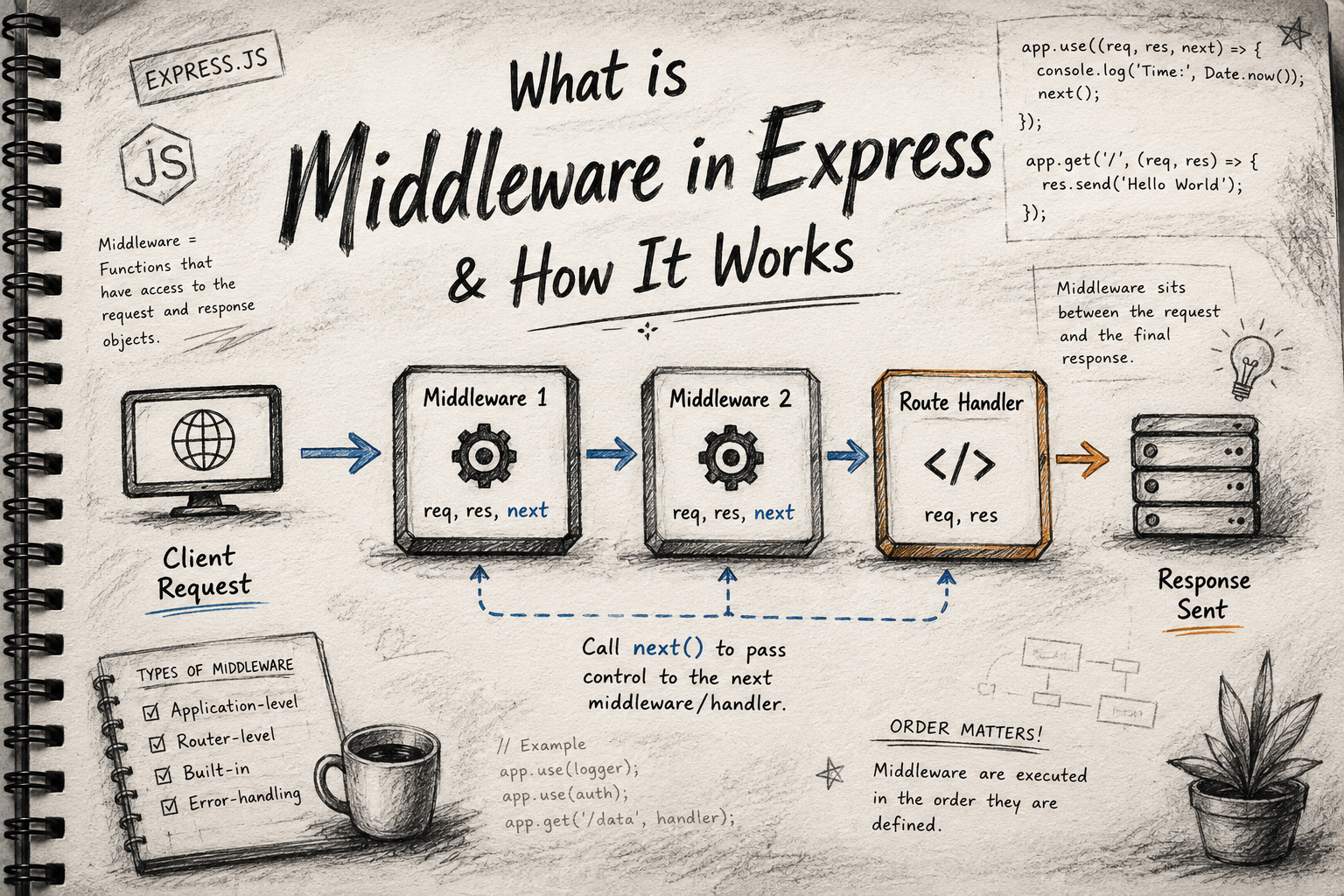
When building modern web applications, you will inevitably need to handle file uploads—whether it's a user profile picture, a PDF invoice, or a collection of holiday photos.
If you are using Node.js and Express, the standard request body parser (express.json() or express.urlencoded()) won't be able to process or read raw binary files (like images, videos or PDFs).
That's where Multer comes in.
In this guide, we'll break down exactly why we need middleware for files, how Multer works, and how to implement it step-by-step.
Why Do File Uploads Need Middleware?
When a user submits standard form data (like a username or text), the browser sends it as simple text strings formatted as application/x-www-form-urlencoded or application/json.
However, files (images, videos, PDFs) are binary data. Sending them as plain text would corrupt them or crash your server. To handle large binary files alongside regular text inputs, the web uses a special encoding type called multipart/form-data.
Now you must think what is this multipart? Let's go through it...
The Multipart Concept
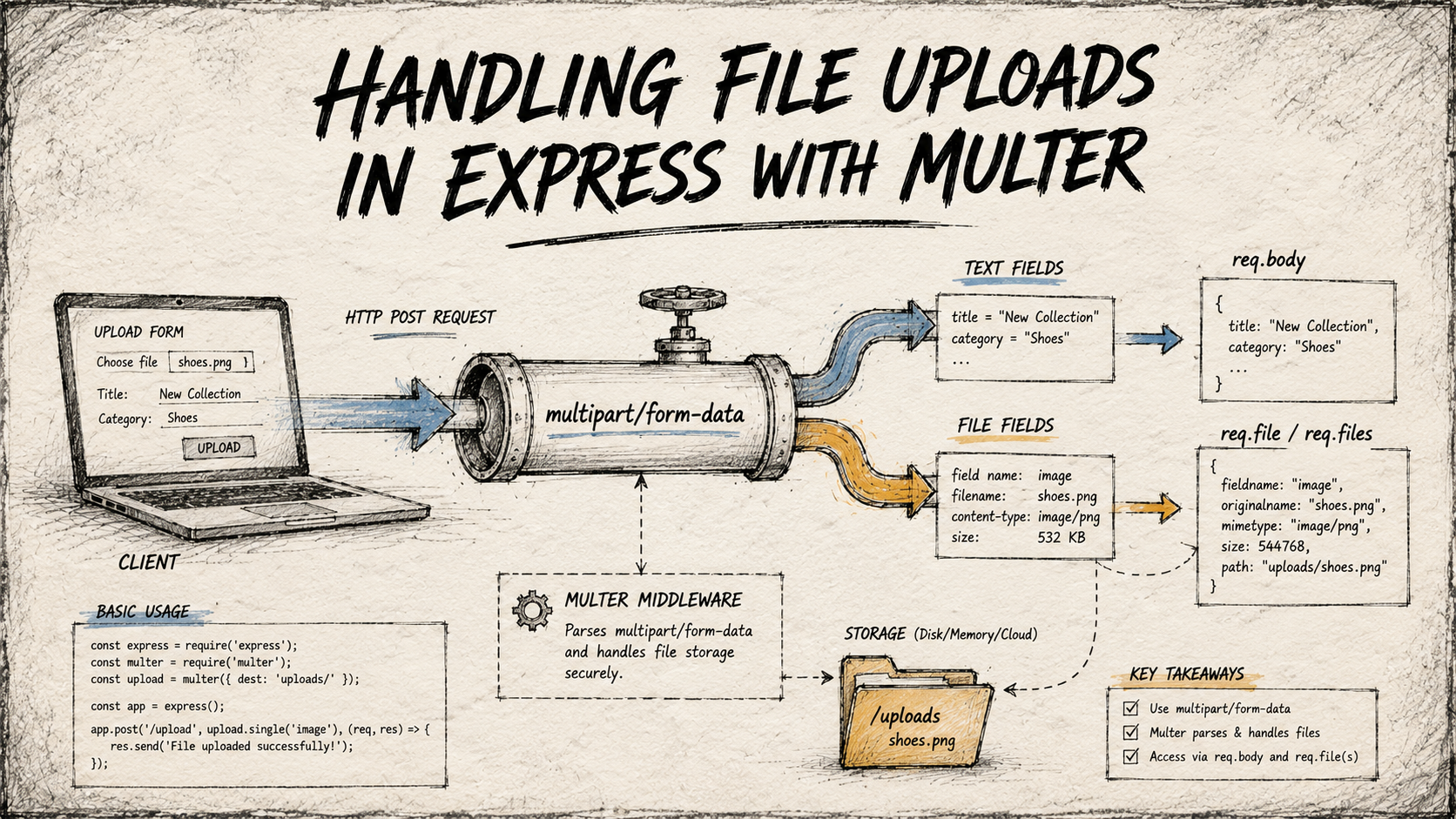
Think of multipart/form-data as a shipping container broken into different compartments:
Compartment 1 contains a text field:
username = "johndoe"Compartment 2 contains raw binary data:
avatar.png
Express's default request parser doesn't know how to unpack these multi-compartment containers. Without dedicated middleware, your req.body will show up as completely empty ({}) when handling a file upload. Middleware like Multer steps in to slice up the incoming stream, separate the text fields from the files, and cleanly hand them over to your route handler.
What is Multer?
Multer is a Node.js middleware for handling multipart/form-data, primarily used for uploading files. It is built on top of busboy to make parsing efficient and fast.
Busboy is a fast, streaming parser for Node.js to handle file uploads, but it is comparatively slow and requires complex boilerplate code. Multer acts as a wrapper around busboy.
When Multer processes a request, it populates:
req.body: Holds the text fields from the form.req.fileorreq.files: Holds the uploaded file(s) and their metadata.
The Upload Lifecycle Flow
Client submits a form with a file encoded as
multipart/form-data.Express Server receives the request and hits the Multer Middleware.
Multer intercepts the stream, parses the file bits, verifies constraints, and saves the file locally or in memory.
Route Handler receives control with clean text data in
req.bodyand file information inreq.file.
Basic Setup & Storage Configuration
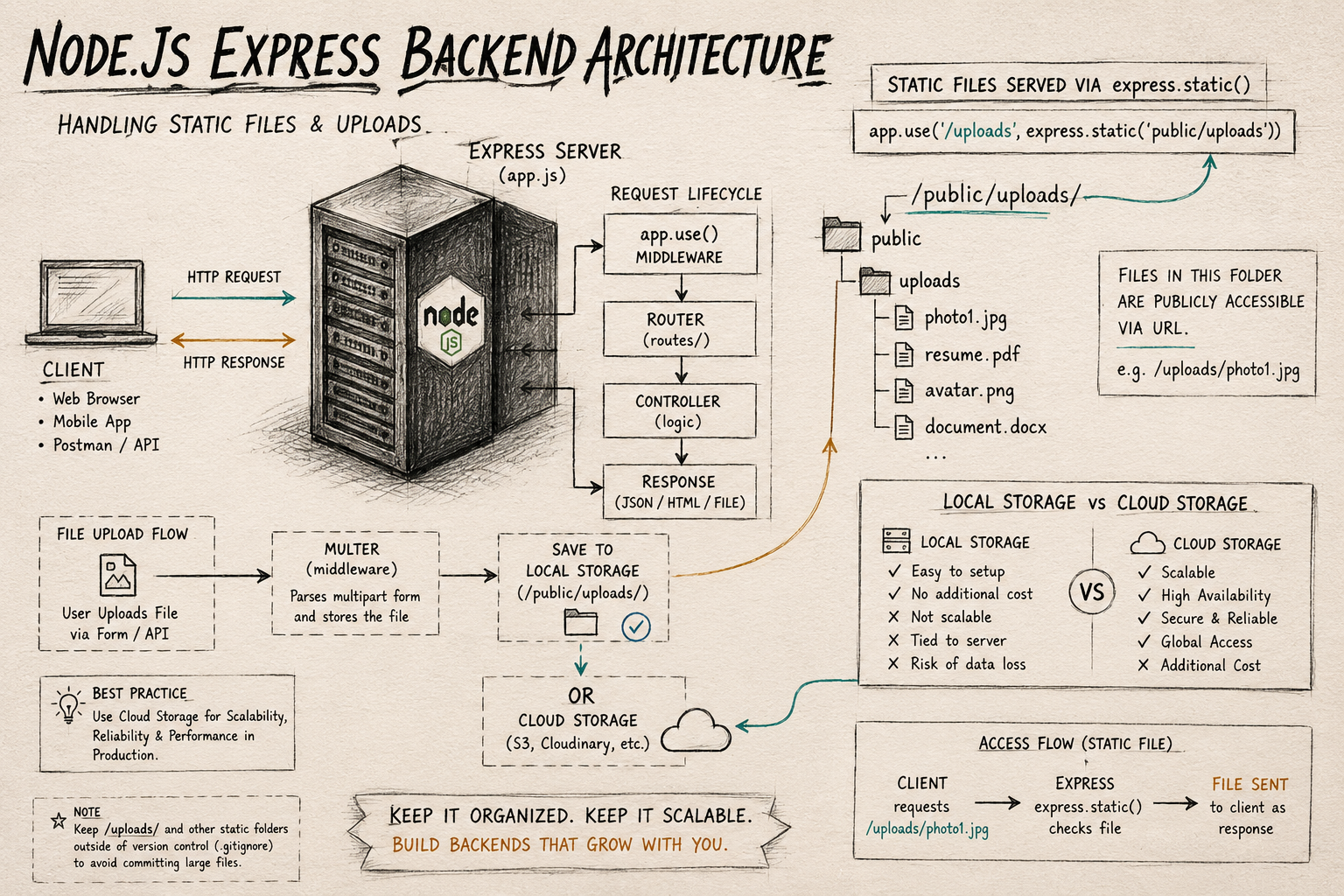
Before diving into routes, let's configure where and how our files will be saved. Multer allows us to use DiskStorage, which gives us full control over destination folders and file naming conventions.
Here is a minimal configuration to get started:
const express = require('express');
const multer = require('multer');
const path = require('path');

const app = express();

// Configure where and how files are saved
const storage = multer.diskStorage({
  destination: function (req, file, cb) {
    // Files will be saved in the 'uploads/' directory
    cb(null, 'uploads/');
  },
  filename: function (req, file, cb) {
    // Generate a unique filename using the current timestamp
    const uniqueSuffix = Date.now() + '-' + Math.round(Math.random() * 1E9);
    cb(null, uniqueSuffix + path.extname(file.originalname));
  }
});

// Initialize the multer middleware
const upload = multer({ storage: storage });
Handling Single File Uploads
To handle a single file (like a profile picture), pass upload.single('fieldName') as middleware into your route. The string argument must match the name attribute of your HTML form input or the key in your frontend FormData object.
// 'avatar' is the key expected from the client side
app.post('/upload-profile', upload.single('avatar'), (req, res) => {
  try {
    // Text fields are available in req.body
    const username = req.body.username;

    // File details are available in req.file
    const fileDetails = req.file;

    if (!fileDetails) {
      return res.status(400).send({ message: 'Please upload a file' });
    }

    res.status(200).send({
      message: 'File uploaded successfully!',
      user: username,
      file: fileDetails
    });
  } catch (error) {
    res.status(500).send(error);
  }
});
Note: The req.file object contains useful metadata such as filename, path, mimetype, and size.
Handling Multiple File Uploads
If your application allows users to upload a gallery of images or multiple documents at once, Multer provides upload.array('fieldName', maxCount). Note that when dealing with multiples, the files populate req.files (plural) as an array.
// Accepts up to 5 files with the field name 'gallery'
app.post('/upload-gallery', upload.array('gallery', 5), (req, res) => {
  try {
    const uploadedFiles = req.files;

    if (!uploadedFiles || uploadedFiles.length === 0) {
      return res.status(400).send({ message: 'Please upload at least one file' });
    }

    res.status(200).send({
      message: `${uploadedFiles.length} files uploaded successfully!`,
      files: uploadedFiles
    });
  } catch (error) {
    res.status(500).send(error);
  }
});
Serving Uploaded Files
Once a file is safely resting in your server's uploads/ folder, you need a way to let clients view or download it. Express makes this incredibly straightforward with its built-in static file serving middleware.
Add this line to your main server file:
// Serve static files from the 'uploads' directory
app.use('/uploads', express.static(path.join(__dirname, 'uploads')));
How to Access It
If a user uploads an image and Multer saves it as 1718293849-image.jpg, the client can easily display it in an HTML <img> tag or access it directly in a browser via:
http://localhost:3000/uploads/1718293849-image.jpg
Conclusion
You now have a solid understanding of why multipart/form-data requires a specialized parser and how to leverage Multer to manage single and multiple local file uploads elegantly.
While storing files directly on your local server disk is perfect for development and small projects, the next step as your app scales will be hooking Multer's stream capabilities up to a dedicated cloud storage provider like AWS S3 or Cloudinary.